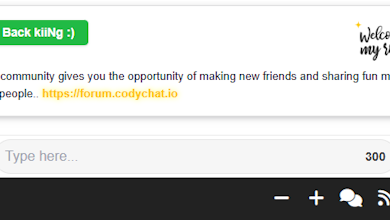

CodyChat has always focused on providing a fast, clean, and easy-to-use chat experience. Today, we’re introducing a brand-new UI improvement designed to make navigation simpler and more customizable for users — the Sidebar Title Toggle Feature.
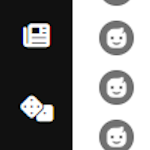
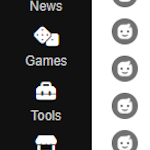
This feature allows users to instantly switch between a compact icon-only menu and a more descriptive icon + title menu. It reduces visual clutter while still making the interface intuitive and user-friendly.
⭐ What Is the Sidebar Title Toggle Feature?
The Sidebar Title Toggle Feature lets users hide or show menu titles inside the left navigation panel with a single click.
When the titles are hidden, the sidebar becomes smaller and cleaner. When the titles are shown, users can see full labels for better navigation.
This is useful for:
- Users who want a minimal UI
- Small screen or mobile users
- Users who prefer full menu labels
- Clean and modern dashboard layouts
⭐ How It Works
The feature adds a special toggle button inside your CodyChat sidebar. This button contains:
- A menu icon
- A title that reads “Toggle”
- An animation that switches between expand and compress icons
One click will:
- Expand all menu titles
- Or hide them again
- While also changing the toggle icon dynamically
Everything works smoothly with jQuery and custom CSS.
⭐ Why This Feature Matters
CodyChat users often switch between different layouts depending on:
- Screen size
- Personal preference
- Dark/light mode usage
- Number of active menu items
This simple UI improvement delivers:
- Cleaner interface
- Better user control
- Faster navigation
- Professional dashboard look
Modern chat applications like Slack, Discord, and Microsoft Teams use similar collapsible sidebars — and now CodyChat does it too!
⭐ Where to Add the Code (Implementation Guide)
To enable this feature, you need to place the following code in the correct CodyChat files:
✔ 1. HTML Code
Add this inside control/chat.php
Under:<div id="left_menu_content" class="bsidebar show-titles">
<div id="toggle_titles" class="bhover left_menu_item" title="Toggle">
    <div class="left_menu_icon">
        <i class="fa leftmenui fa-compress-arrows-alt"></i>
    </div>
    <div class="menu_title" style="">Toggle</div>
</div>
✔ 2. CSS Code
Add inside <style> incontrol/element/top.php
#left_menu_content.show-titles .menu_title {
    display: block;
    font-size: 12px;
    color: #ccc;
    margin-top: 4px;
}

#left_menu_content .menu_title {
    display: none;
}
✔ 3. JavaScript Code
Place inside <script> incontrol/element/top.php
$(document).ready(function () {

    var toggle = $("#toggle_titles");
    var leftMenu = $("#left_menu_content");

    toggle.on("click", function (e) {
        e.stopPropagation();

        leftMenu.toggleClass("show-titles");

        var icon = toggle.find(".leftmenui");

        if (leftMenu.hasClass("show-titles")) {
            icon.removeClass("fa-compress-arrows-alt")
                .addClass("fa-expand-arrows-alt");
            toggle.find(".menu_title").show();
        } else {
            icon.removeClass("fa-expand-arrows-alt")
                .addClass("fa-compress-arrows-alt");
            toggle.find(".menu_title").hide();
        }
    });

    $(document).on("click", function (e) {
        if (!$(e.target).closest("#toggle_titles").length &&
            leftMenu.hasClass("show-titles")) {

            leftMenu.removeClass("show-titles");

            toggle.find(".leftmenui")
                .removeClass("fa-expand-arrows-alt")
                .addClass("fa-compress-arrows-alt");

            toggle.find(".menu_title").hide();
        }
    });

});
⭐ Final Thoughts
This new Sidebar Title Toggle feature is designed to bring a modern, flexible, and efficient navigation experience to CodyChat.
CodyChat continues to evolve with clean UI improvements and user-focused features — and this is just the beginning.